How to do an AI product photoshoot without the product changing.
The method we use on real catalogs: good references, a shot list, one locked style, and an accuracy check on every image.
Short answer
To run an AI product photoshoot, start from sharp reference photos of the real product, write a shot list per product, lock one style on a few products, then generate the rest with the references attached and check every image for shape, colour, logo, label text, texture, proportions and scale. The check is the step most people skip, and it's where most AI product photos fail.
The problem every brand runs into
When we read through store owners' threads on r/shopify and r/FacebookAds, the top complaint about AI product photos was not "it looks fake". It's "it changed my product": the wrong logo, a stitch that isn't there, a different shade, a label with made-up text. A beautiful image of a product you don't sell is worse than no image, because it drives returns.
Everything below is built around one idea: the product is fixed, everything around it is generated. The model, the room, the light and the season can change. The product can't.
The AI photoshoot, step by step
- 01
1. Collect reference photos
For each product, 3 to 5 sharp photos in even, neutral light: front, back or side, and one close-up of the detail that matters most (logo, label, embroidery, texture). No filters, no heavy retouching. A phone is fine. Put a white sheet in one frame if colour is critical.
- 02
2. Write a shot list per category
Decide what each product needs before generating anything. Apparel needs front, back, side and on-model; footwear needs seven angles plus the sole; jewellery needs a macro and a scale shot. Our category pages list them: sarees, kurtas, jewellery and shoes.
- 03
3. Lock a style on three products
Generate the full shot list for three representative products and pick the model, backgrounds, light and mood. Write it down. This becomes the brief for the whole catalog, so the collection page reads like one shoot.
- 04
4. Generate with the references attached
Every generation should carry the product's own reference photos, not just a text description. Text alone is how logos and patterns get invented.
- 05
5. Check every image against the real product
Run the seven-point check below on every image, not a sample. Anything that fails is regenerated, not retouched by eye.
- 06
6. Export per channel
Marketplace main images on pure white, lifestyle and on-model images for your store, and ad crops (1:1, 4:5, 9:16) for Meta and Google. Name files by SKU so uploads are bulk, not manual.
The seven-point accuracy check
| Check | What goes wrong | How to catch it |
|---|---|---|
| Shape and silhouette | Proportions stretch; a bag gets taller, a bottle slimmer | Overlay the outline on the reference at the same angle |
| Colour | Shade drifts warmer or cooler, especially reds and golds | Compare against a colour-corrected reference, side by side |
| Logo and branding | Logo redrawn, moved or misspelled | Zoom to 100% on every logo |
| Label and text | Ingredient lists and sizes become gibberish | Read every word; any made-up text fails |
| Texture and material | Suede looks like plastic; weave gets smoothed | Check a macro crop against the reference close-up |
| Details and counts | Extra eyelets, stones, buttons or stitches | Count them |
| Scale | A small product looks oversized on a model | Compare against the product's real measurements |
What passing looks like
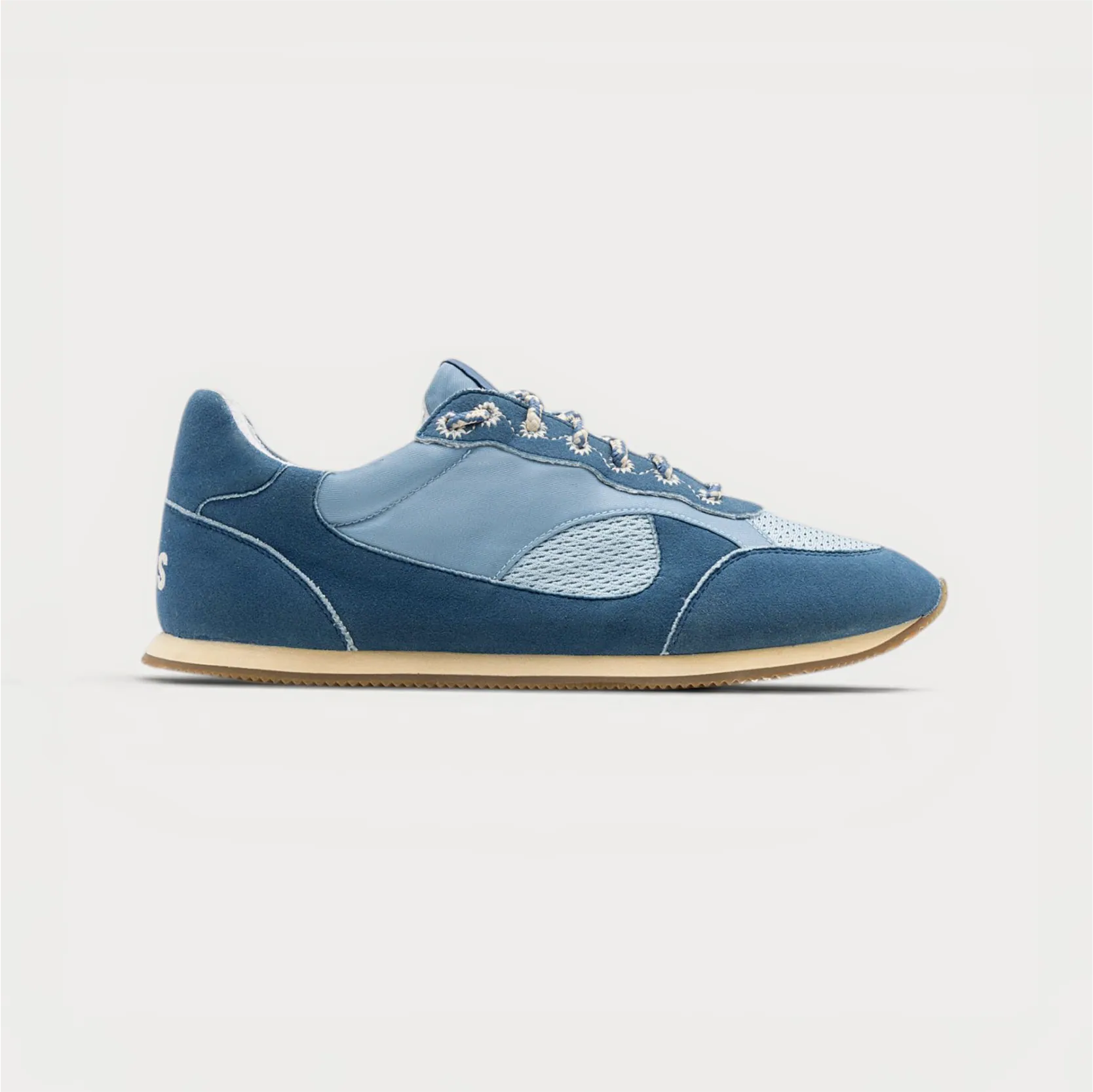
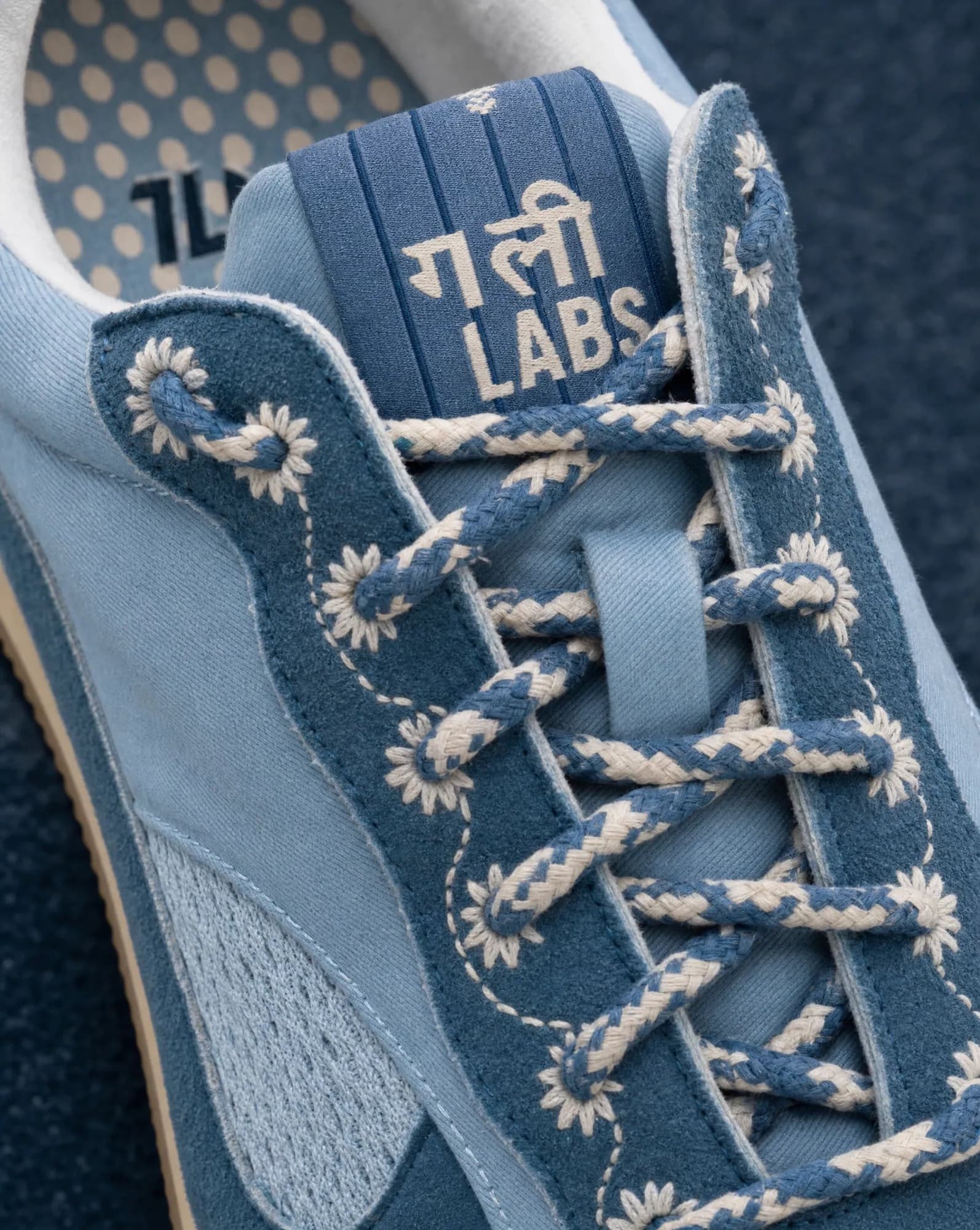
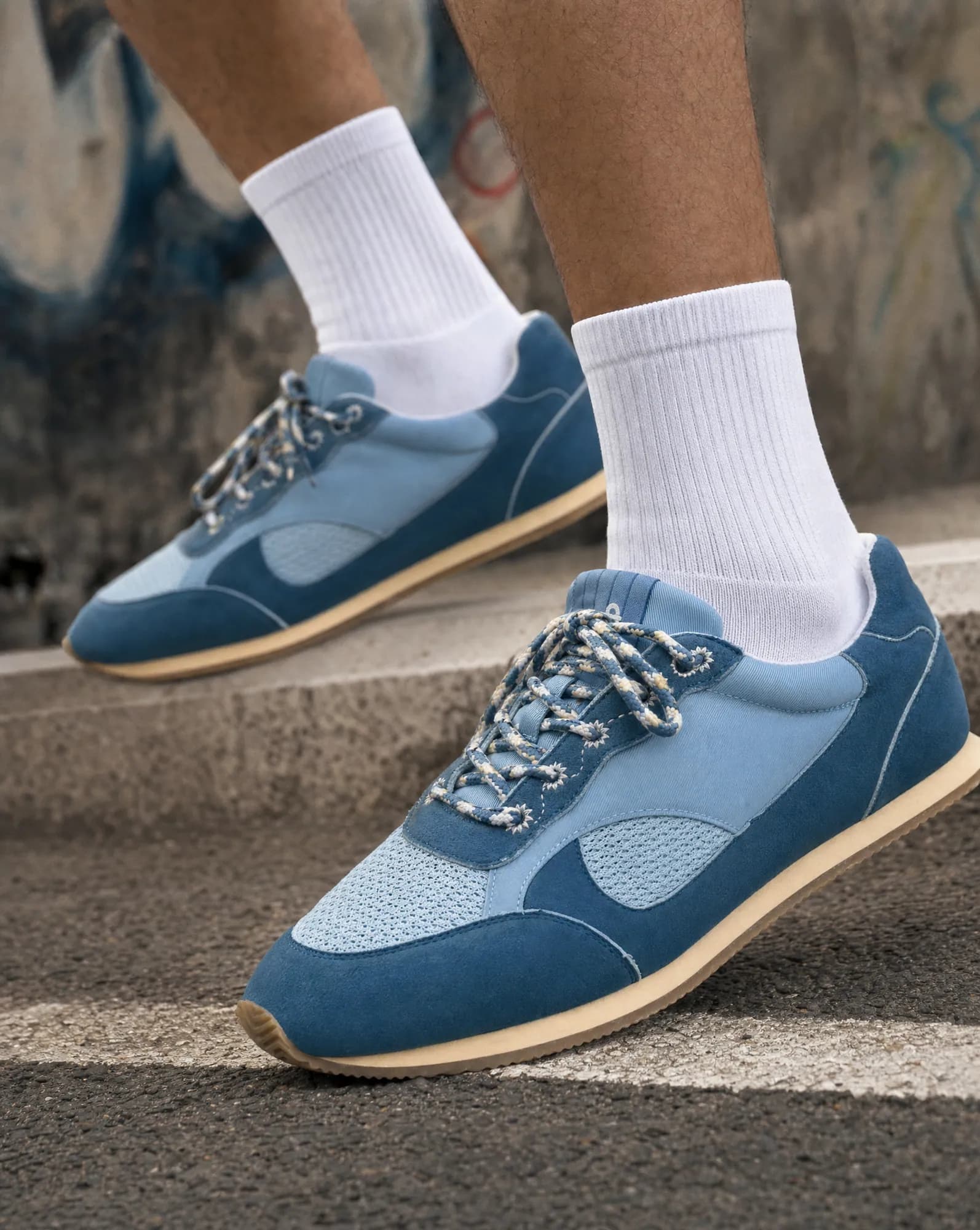
Do it yourself or hand it over?
| Situation | DIY AI tool | Managed AI photoshoot |
|---|---|---|
| A handful of simple products (boxes, bottles) | Usually fine | Overkill |
| Hundreds of SKUs in one consistent look | Hard to keep consistent | Built for it |
| Apparel on model, prints, embroidery | Frequent product drift | Garment locked, model generated |
| Labels with readable text | Text often breaks | Every word checked |
| No time to learn another tool | Not an option | Send a link or CSV |
Where Helium fits
Helium's AI photoshoot is this method run for you: we take your store link or CSV, lock the look with you, generate the catalog and run the accuracy check on every image before it reaches you. It's $1 an image (₹85 in India), and you can send your trickiest product as a free sample first.
If you'd rather compare tools first, see our honest comparison of AI product photography tools. If your store is on Shopify, our Shopify AI apps handle the rest of the listing, from bulk product edits to collection merchandising.
AI product photoshoot questions
What is an AI product photoshoot?
Using image generation to place your real product in studio, lifestyle or on-model scenes, starting from photos you already have instead of booking a studio. Done well, only the scene is generated; the product is carried over from the reference.
Are AI product photos allowed on Amazon?
Amazon's main image must show the actual product on a pure white background, so use a real photo cleaned to white for the main image and AI for lifestyle, scale and on-model images in the rest of the gallery. Our Amazon image guide lists the rules.
How many reference photos do I need?
Three to five per product is ideal: the main angles plus a close-up of the most important detail. One sharp photo can be enough for simple products.
Can AI keep my logo and label text exact?
Only if the logo and label come from your reference and every image is checked. Text is where generic tools fail most often, so read every word before publishing.
How long does it take?
Locking the style on three products is one review round with you. After that, the catalog runs in batches, with the accuracy check on every image.
Related
Compare · 20 Oct 2026
AI product photography tools, compared honestly.
Pick a self-serve tool if you have a handful of products and time to operate it: Pebblely for quick themed backgrounds from $9 a month, Photoroom for background removal and editing at volume, Claid for an API and automated pipelines, and Flair for designing staged scenes on a canvas. Pick a managed AI photoshoot like Helium if you have a large catalog, need apparel on model, or don't want to operate a tool; you send a link and get checked images back at $1 (₹85) each.
Guides · 20 Oct 2026
Amazon product image requirements, as a checklist.
Amazon's main image must be a real photo of the product on a pure white background (RGB 255, 255, 255), with the product filling about 85% of the frame and no text, logos, borders or watermarks. Images should be at least 1,000 pixels on the longest side so zoom works, in JPEG, TIFF, PNG or non-animated GIF. AI-made lifestyle, scale and on-model images belong in the secondary images, not the main one.
For · 20 Oct 2026
Shoe photography from one packshot.
A footwear listing needs seven angles (outer side, inner side, front, back, top, three-quarter and sole), one or two detail macros and an on-foot shot. Helium can make the details and on-foot shots from your existing packshot with AI. For Gully Labs we started from a single store packshot and made lace, toe, heel and on-feet shots that keep every stitch, lace and colour true to the real shoe. Pricing is $1 (₹85) an image.
For · 20 Oct 2026
Jewellery photography where the stones stay real.
Jewellery listings need a sharp hero macro, a clean white-background image for marketplaces, an on-model shot that shows true size, and a styled flat lay or stack. AI can make all of these from your product photos, but only if stone count, metal tone and scale are locked to the real piece. Helium checks those on every image and charges $1 (₹85) an image.