Saree catalog photography, without the shoot.
Drape, pallu, border, blouse, fold and festive frame for every saree in your range, made from the photos you already have and checked against the real weave.
Short answer
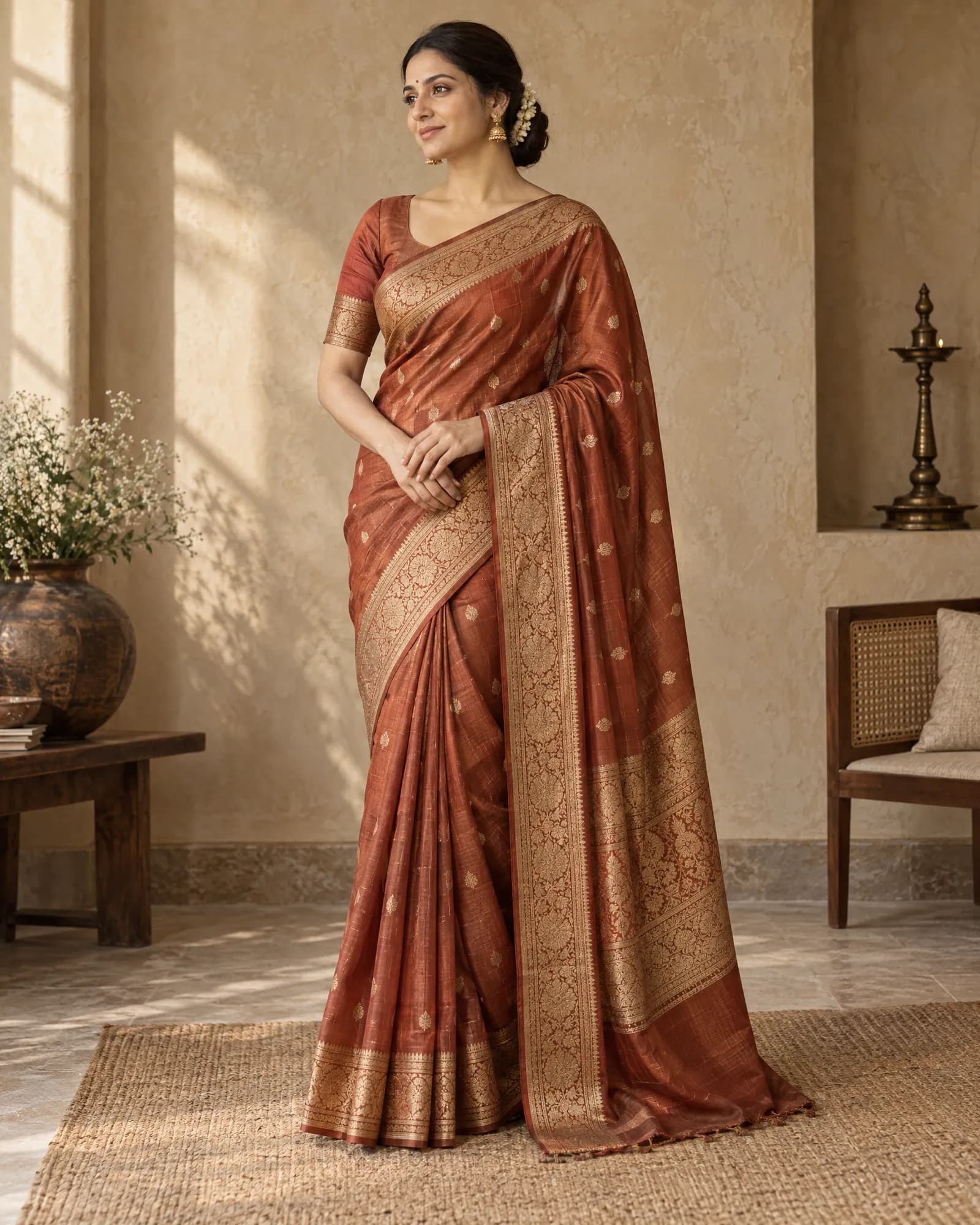
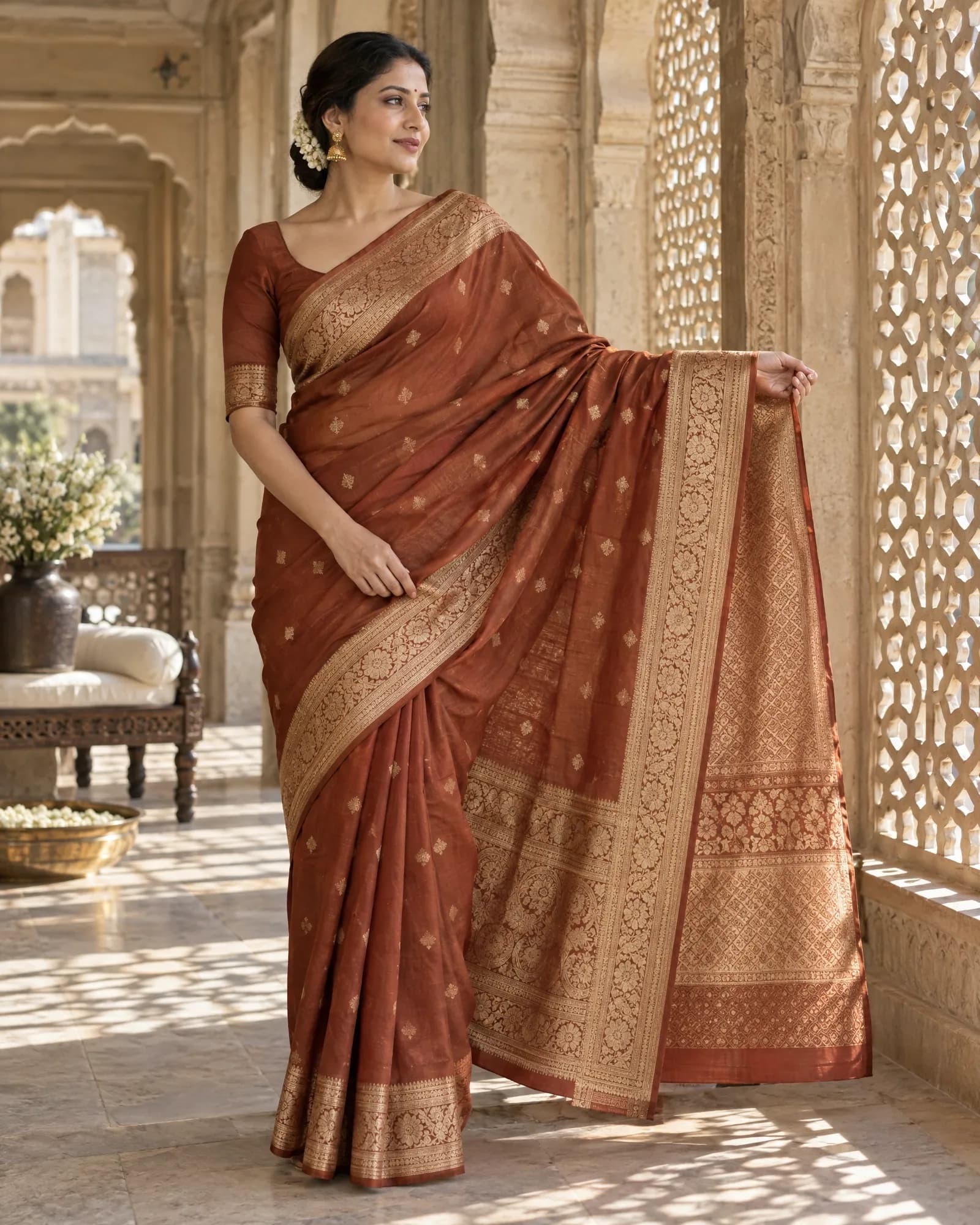
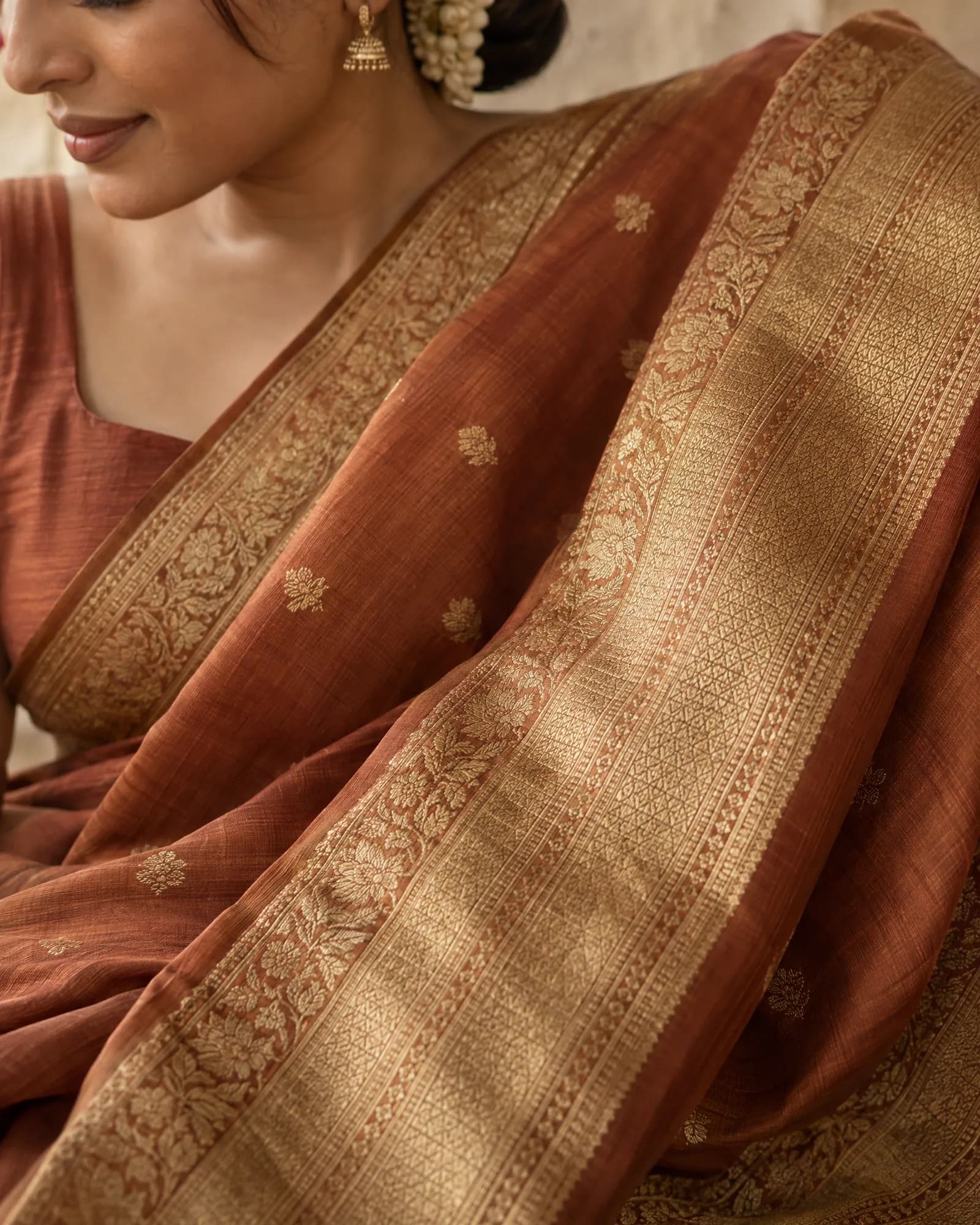
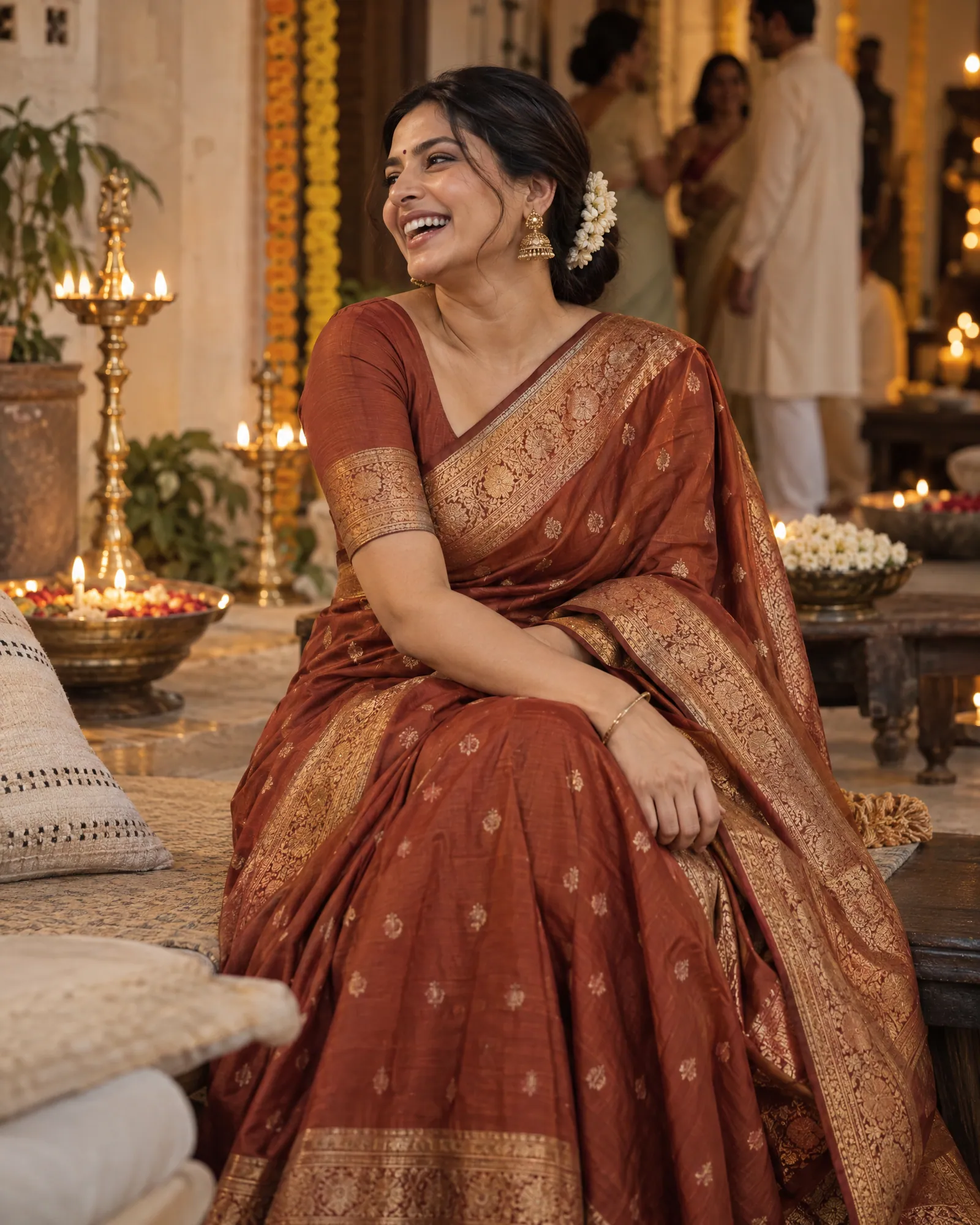
A saree listing needs six frames to show the whole product: the full drape on a model, the pallu held open, a macro of the border and weave, the blouse piece, a folded flat lay and one styled lifestyle shot. Helium makes all six from your existing product photos, checks every frame against the real saree for motif, zari and colour, and charges ₹85 an image.
Why saree photos are hard to get right
A saree is six yards of pattern that the camera only ever sees in folds. That makes it one of the hardest products to photograph, and one of the easiest for AI to get wrong.
- The pallu is a different design from the body. A drape shot alone hides it, so buyers can't see what they're paying for.
- Zari reflects. Gold and silver thread blows out under studio flash and turns muddy under warm light.
- Colour shifts. Terracotta reads as brick red on one phone and rust on another. Returns follow.
- Generic AI tools smooth the weave. Ask a general image model to put your saree on a model and it will invent motifs, simplify the border and "fix" the colour.
Our rule is simple: the weave, motif and border are copied from your photo, never imagined. If your photos don't show the pallu, we ask for a pallu photo instead of guessing.
The saree shot list
| Shot | What it shows | Where it's used | What we check |
|---|---|---|---|
| 1. Full drape on model | How the saree falls, length and fit on the body | Main image on your store and fashion marketplaces | Body colour, border placement, pleat count looks natural |
| 2. Pallu open | The pallu design, held out or draped over the arm | Second image; Instagram carousel cover | Pallu motif matches your photo exactly |
| 3. Border and weave macro | Zari, buttas and weave texture up close | Third image; zoom on mobile | Thread colour, motif spacing, no invented pattern |
| 4. Blouse piece | The unstitched blouse fabric, flat or styled | Listing gallery | Blouse colour and print match the real piece |
| 5. Folded flat lay | The saree as it arrives, folded to show body, border and pallu together | Marketplace secondary image; WhatsApp catalog | All three parts visible and in proportion |
| 6. Festive lifestyle | The saree in a wedding, puja or evening setting | Ads, homepage banners, festive sale pages | Product stays the hero; props don't cover the border |
Saree images and video made by Helium
What to send us
You don't ship sarees to anyone. We work from photos. For each saree, the best references are:
- One flat photo of the full saree opened out, in daylight or under a neutral light.
- One close photo of the pallu.
- One close photo of the border, sharp enough to read the motif.
- The blouse piece, if it's a different colour or print.
Phone photos are fine if they're sharp and not filtered. If a colour is critical, put a white sheet of paper in one frame so we can correct the cast. After the free sample we'll tell you which products need better references before we run the range.
How a saree range goes from photos to catalog
- 01
Share the range
Send your store link, a Shopify connection or a CSV with SKU codes, plus the photos you already have.
- 02
Lock the look on three sarees
We make the six-shot set for three sarees first. You pick the model, the drape style your customers expect, the backgrounds and the festive setting. That look is then locked.
- 03
We run the rest
Every saree goes through the same look. Our team checks each frame against your photos for motif, zari, border and colour, and regenerates anything that drifts.
- 04
Delivered per SKU
Images arrive named and mapped to your SKUs, in the sizes your store and each marketplace need, ready to upload.
After the photo: selling more sarees from the same traffic
Photos are half of it. The other half is which saree each shopper sees first. For Sudathi, Helium turned static saree listings into intent-aware journeys and focused retargeting on high-intent shoppers: a 25% conversion uplift on nearly half their traffic.
If you're on Shopify, our merchandising app ranks your saree collections by sales, sessions and city from a plain-English prompt, and the AI photoshoot service keeps the catalog itself consistent.
Saree catalog questions
Can AI drape my exact saree on a model?
Yes, when the reference photos show the full body, the pallu and the border. The model and setting are generated; the saree's motif, border and colour are copied from your photos and checked frame by frame. If a frame changes the saree, it's regenerated before you see it.
Do I need to send the physical sarees?
No. We work from photos. A flat full-length photo, a pallu close-up and a border close-up per saree is the ideal starting set.
What does a saree catalog cost?
₹85 an image, with volume pricing for full catalogs. The six-shot set above is ₹510 per saree. You can also start with the ₹9,999 trial, which is credited to your first month if you continue.
Can you match the drape style my customers expect?
Tell us the drape and the look in the style test on your first three sarees. Once you approve it, every saree in the range uses the same drape, model and lighting.
Will the colour match the real saree?
Colour is part of every QC check. The most common cause of mismatch is the reference photo itself, so if your photo has a warm or blue cast we'll ask for one with a white sheet in frame.
Who owns the images?
You do. You get full commercial rights to everything we deliver for your brand.
Related
For · 20 Oct 2026
Kurta and kurti catalogs, shot to one look.
A kurta or kurti listing needs a front, back and side view on model, a walking shot for fall and movement, a close-up of the neckline or embroidery, and, for sets, the dupatta and bottoms shown clearly. Helium makes these from your existing product photos with AI, keeps the same model and lighting across the range, checks every print and embroidery detail against the real garment, and charges ₹85 an image.
For · 20 Oct 2026
Jewellery photography where the stones stay real.
Jewellery listings need a sharp hero macro, a clean white-background image for marketplaces, an on-model shot that shows true size, and a styled flat lay or stack. AI can make all of these from your product photos, but only if stone count, metal tone and scale are locked to the real piece. Helium checks those on every image and charges $1 (₹85) an image.
Guides · 20 Oct 2026
How to do an AI product photoshoot without the product changing.
To run an AI product photoshoot, start from sharp reference photos of the real product, write a shot list per product, lock one style on a few products, then generate the rest with the references attached and check every image for shape, colour, logo, label text, texture, proportions and scale. The check is the step most people skip, and it's where most AI product photos fail.
Guides · 20 Oct 2026
Amazon product image requirements, as a checklist.
Amazon's main image must be a real photo of the product on a pure white background (RGB 255, 255, 255), with the product filling about 85% of the frame and no text, logos, borders or watermarks. Images should be at least 1,000 pixels on the longest side so zoom works, in JPEG, TIFF, PNG or non-animated GIF. AI-made lifestyle, scale and on-model images belong in the secondary images, not the main one.